
Whether you’re calculating a discount at checkout, figuring out how much your salary increased, or working out a tip at a restaurant — percentages come up constantly in everyday life. This guide explains exactly how to calculate percentages in six different scenarios, with clear formulas and worked examples for each.
What Is a Percentage?
A percentage is a way of expressing a number as a fraction of 100. The word comes from the Latin “per centum” meaning “per hundred.”
So 50% means 50 out of 100 — or exactly half. 25% means 25 out of 100 — or one quarter. 100% means the whole thing.
Percentages make it easy to compare proportions across different scales. It’s easier to say “prices rose 8%” than “prices rose by $14.32 on a base of $179.”
The 6 Most Common Percentage Calculations
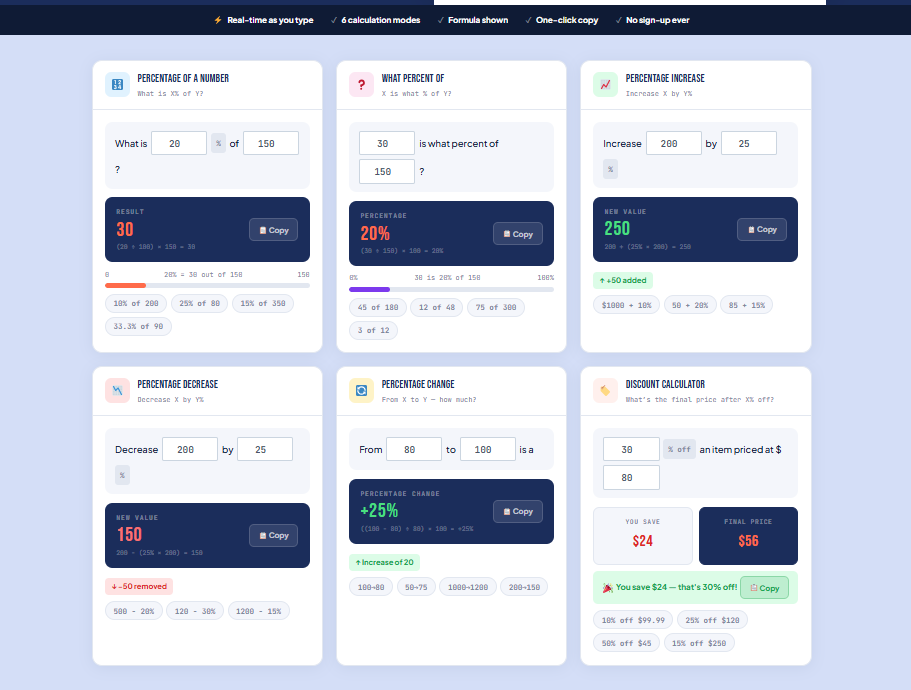
1. What is X% of a number?
Formula: Result = (Percentage ÷ 100) × Number
Example: What is 20% of 85?
- (20 ÷ 100) × 85
- 0.20 × 85
- = 17
Real world use: Calculating a tip, finding a discount amount, working out commission.
2. What percentage is X of Y?
Formula: Percentage = (X ÷ Y) × 100
Example: 45 is what percentage of 180?
- (45 ÷ 180) × 100
- 0.25 × 100
- = 25%
Real world use: Finding your test score as a percentage, calculating market share, working out what percentage of your budget you’ve spent.
3. Percentage Increase
Formula: Percentage Increase = ((New Value − Old Value) ÷ Old Value) × 100
Example: A salary went from $50,000 to $54,000. What’s the percentage increase?
- (54,000 − 50,000) ÷ 50,000 × 100
- 4,000 ÷ 50,000 × 100
- 0.08 × 100
- = 8% increase
Real world use: Salary raises, rent increases, price hikes, investment returns.
4. Percentage Decrease
Formula: Percentage Decrease = ((Old Value − New Value) ÷ Old Value) × 100
Example: A product dropped from $120 to $90. What’s the percentage decrease?
- (120 − 90) ÷ 120 × 100
- 30 ÷ 120 × 100
- 0.25 × 100
- = 25% decrease
Real world use: Sale discounts, price drops, weight loss, cost reductions.
5. Percentage Change
Percentage change covers both increases and decreases. A positive result is an increase, a negative result is a decrease.
Formula: Percentage Change = ((New Value − Old Value) ÷ Old Value) × 100
Example: Website traffic went from 1,200 to 980 visitors. What’s the change?
- (980 − 1,200) ÷ 1,200 × 100
- −220 ÷ 1,200 × 100
- = −18.33% (a decrease)
6. Calculating a Discounted Price
Formula: Discounted Price = Original Price × (1 − Discount% ÷ 100)
Example: A $240 jacket is 35% off. What’s the sale price?
- 240 × (1 − 35 ÷ 100)
- 240 × 0.65
- = $156
Or to find just the discount amount: 240 × 0.35 = $84 off
Skip the Math — Use the Free Percentage Calculator
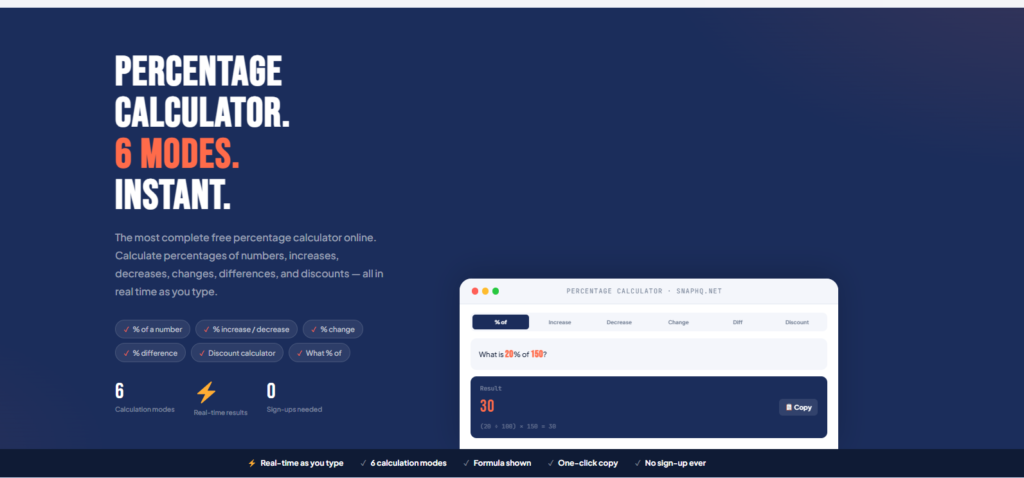
If you’d rather not do the calculations manually, SnapHQ’s free percentage calculator handles all six types instantly — and shows you the formula so you understand the result.
Try the Free Percentage Calculator →
Percentage Increase vs Percentage Points — What’s the Difference?
This is one of the most commonly confused concepts in statistics and finance.
Percentage points measure the arithmetic difference between two percentages.
Percentage change measures the relative change.
Example: Interest rates rise from 2% to 3%.
- That’s an increase of 1 percentage point
- But it’s a 50% increase (because 3 is 50% more than 2)
Both statements are mathematically correct — they’re just measuring different things. Politicians and journalists often use whichever framing supports their argument, so it’s useful to know the difference.
Common Percentage Mistakes to Avoid
Mistake 1 — Reversing percentage changes: If something increases by 25% and then decreases by 25%, you do NOT end up back where you started. You end up lower.
Example: $100 + 25% = $125. Then $125 − 25% = $93.75. Not $100.
The math is asymmetric — percentage changes are calculated on different base values.
Mistake 2 — Confusing percentage and percentage points: As explained above — a rise from 10% to 15% is a 5 percentage point rise, but a 50% increase.
Mistake 3 — Calculating percentage of a percentage: “50% off, then an extra 20% off” does NOT equal 70% off. It equals 60% off.
100 × 0.5 = 50. Then 50 × 0.8 = 40. So the final price is 40, which is 60% off the original 100.
Real World Percentage Examples
Tip calculation: Dinner bill is $87.50. You want to tip 20%. 0.20 × 87.50 = $17.50 tip, total = $105
(Or use SnapHQ’s free tip calculator to split it across the table too.)
Loan interest: You borrow $10,000 at 6% annual interest. First year interest: 0.06 × 10,000 = $600
Test score: You got 34 out of 40 questions right. (34 ÷ 40) × 100 = 85%
Sale price: A $350 TV is 15% off. 350 × 0.85 = $297.50
Pay rise: You earn $3,200/month and get a 4.5% raise. 3,200 × 0.045 = $144 increase. New salary: $3,344/month
Frequently Asked Questions About Percentages
How do I calculate percentage on a calculator?
For “X% of Y”: multiply Y by X then divide by 100. Or multiply Y by (X/100). Most phone calculators have a % button — enter 80 × 20% to get 16 directly.
How do I calculate a percentage increase in Excel?
Formula: =(New-Old)/Old — format the cell as percentage and Excel multiplies by 100 automatically.
What is 1% of 1000?
1% of 1,000 = 10. (1 ÷ 100 × 1,000 = 10)
How do I work out 20% of something quickly?
Divide by 10 to get 10%, then double it. 20% of $85: 85 ÷ 10 = 8.5, × 2 = $17.
What’s the formula for percentage change?
((New − Old) ÷ Old) × 100. Positive result = increase. Negative result = decrease.
How do I calculate percentage discount?
Discount Amount = Original Price × (Discount% ÷ 100) Sale Price = Original Price × (1 − Discount% ÷ 100)
Calculate Any Percentage Instantly
For quick percentage calculations without doing the math manually, SnapHQ’s free percentage calculator covers all six scenarios with real-time results and the formula shown.
Use the Free Percentage Calculator →
No sign-up. No ads blocking your results. Just the answer.
SnapHQ is a free suite of online tools for freelancers and small businesses. Explore all 11 free tools.
